> For the complete documentation index, see [llms.txt](https://realgo.gitbook.io/whitepaper/llms.txt). Markdown versions of documentation pages are available by appending `.md` to page URLs; this page is available as [Markdown](https://realgo.gitbook.io/whitepaper/beginners-guide/tutorial-27-dapp-deposits-and-withdrawals-manage-your-assets-on-realgo.md).
# 【Tutorial 27】#DApp Deposits & Withdrawals# Manage Your Assets on RealGo
Users can deposit and withdraw digital assets through the RealGo DApp.
**DApp Access:**
### Before You Start
Before making a deposit or withdrawal, please make sure your Web3 wallet is connected to the RealGo DApp.
If you do not have a Web3 wallet yet, you can first download a commonly used wallet such as:
* MetaMask
* BNB Wallet
* OKX Wallet
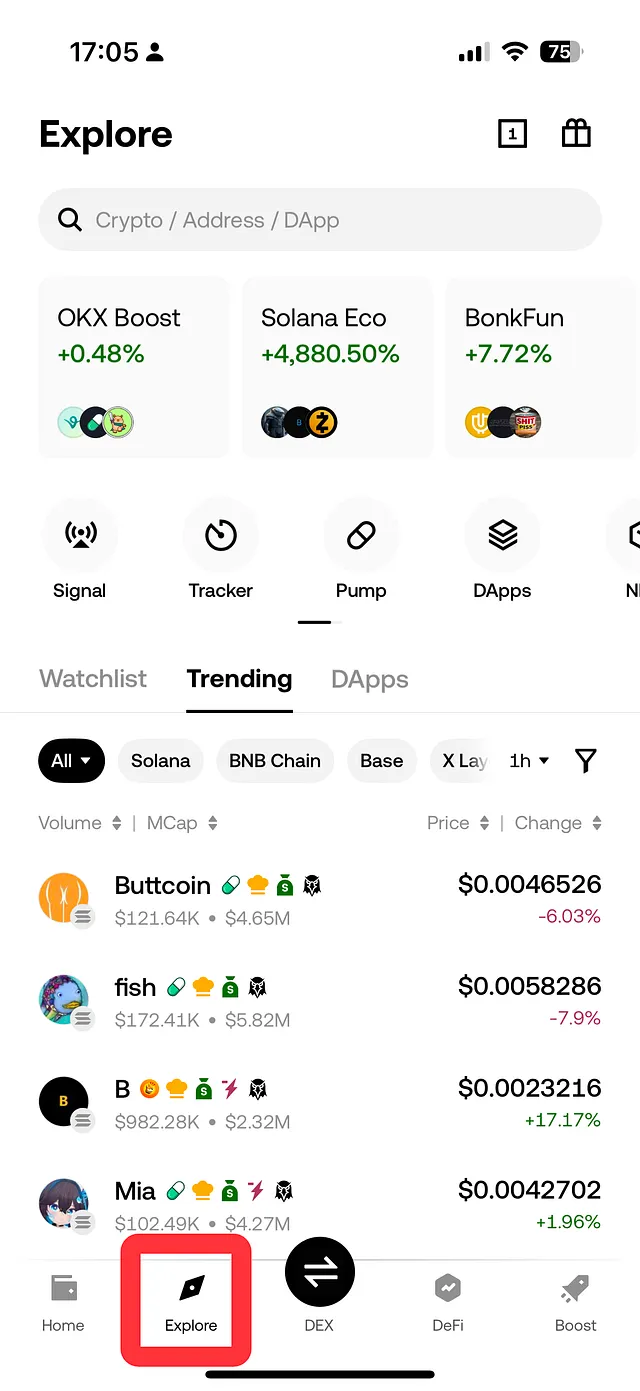
After installing your wallet, you can access the RealGo DApp by following these steps:
1. Open your Web3 wallet app
2. Tap **Explore / Browser / DApp Browser**
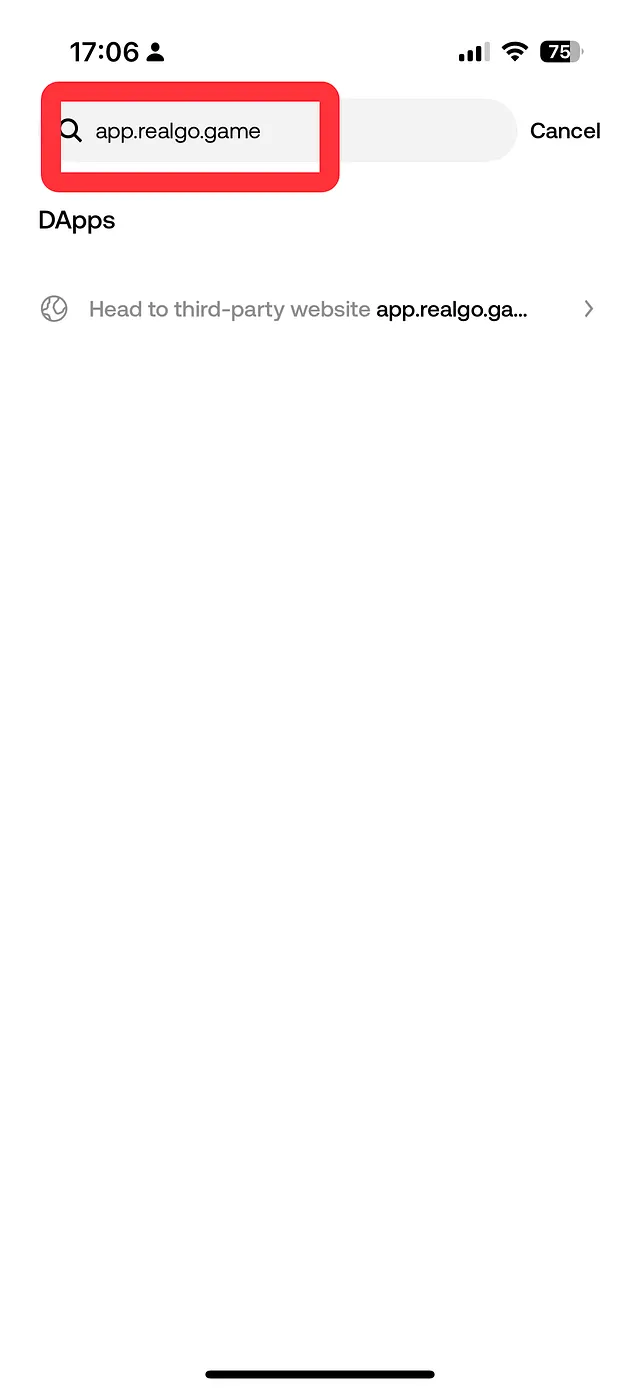
3. Enter the URL: [app.realgo.game](https://app.realgo.game/gameCentre/assets)
4. Connect your wallet to start using the DApp
If you do not have a wallet yet, you will need to complete wallet registration and backup first.
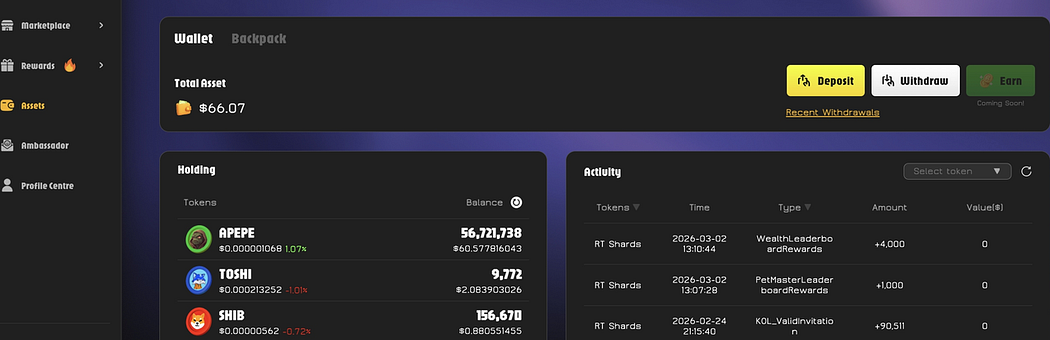
### Assets Page
After entering the **Assets** page, you will see two main functions:
* **Deposit**
* **Withdraw**
### How to Deposit
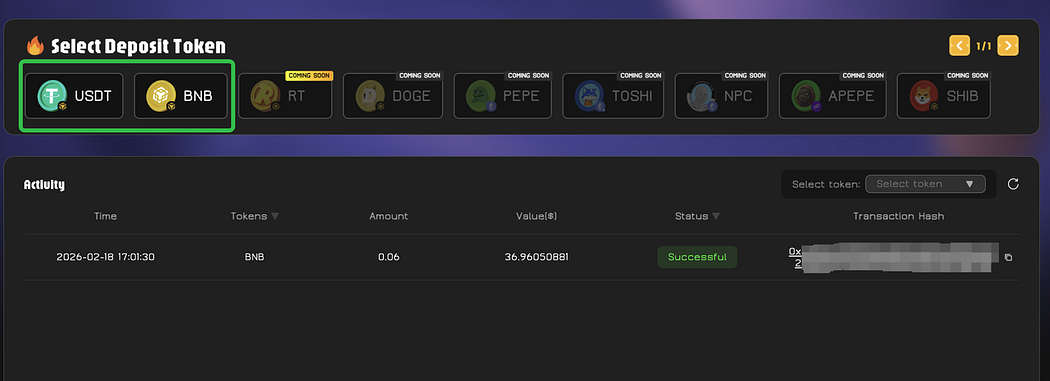
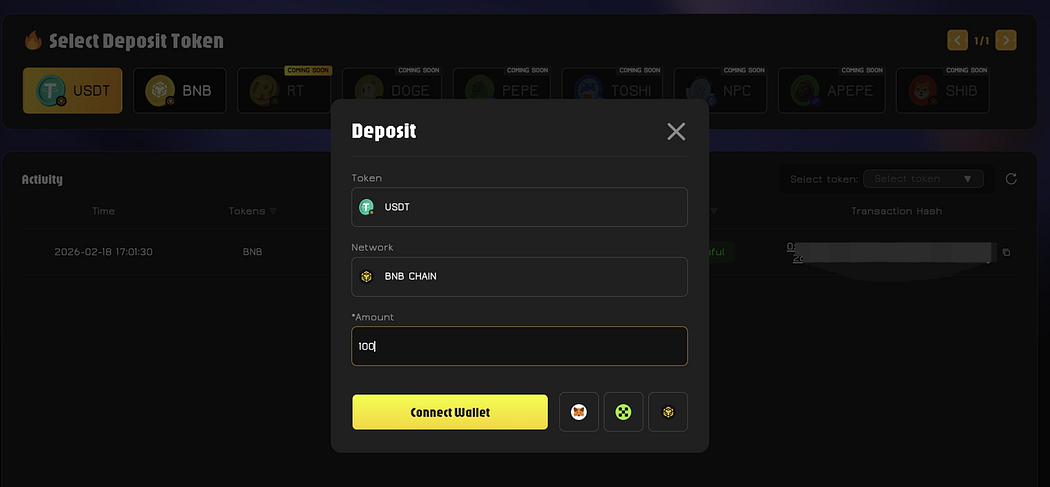
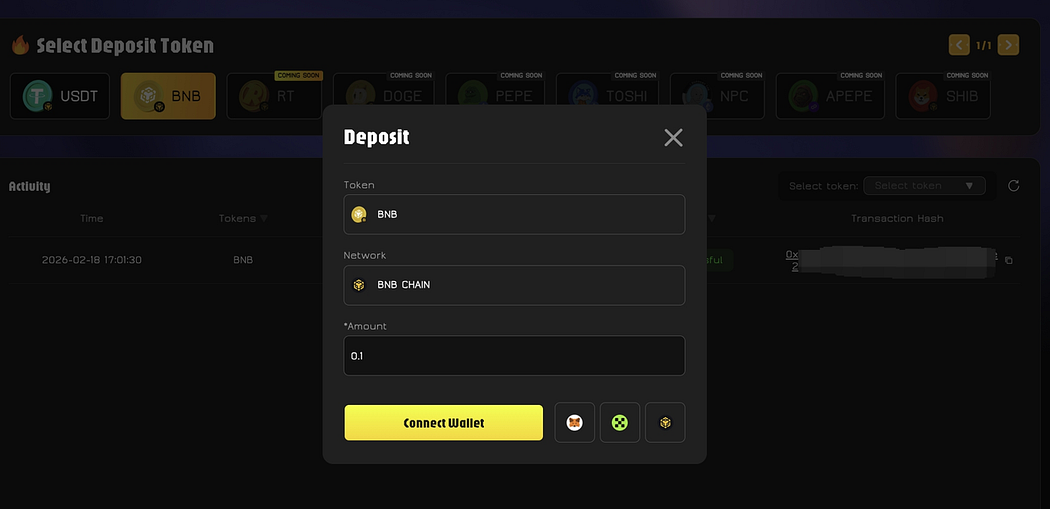
Click **Deposit** to choose the asset you want to deposit.
**Currently supported assets:**
* USDT
* BNB
**Coming soon:**
* RT Token
* More meme coins
⚠️ **RealGo DApp currently operates on BNB Chain.** Please make sure both your deposit and withdrawal addresses support the **BNB Chain** network. Transferring assets through an unsupported network may result in permanent asset loss.
Please also make sure your wallet is switched to **BNB Chain** before making a deposit. Otherwise, your deposit may not be credited successfully.
After selecting the asset, follow these steps:
1. Enter the amount you want to deposit
2. Click **Connect Wallet**
3. Confirm the transaction in your Web3 wallet
Once completed, your deposit will be successful.
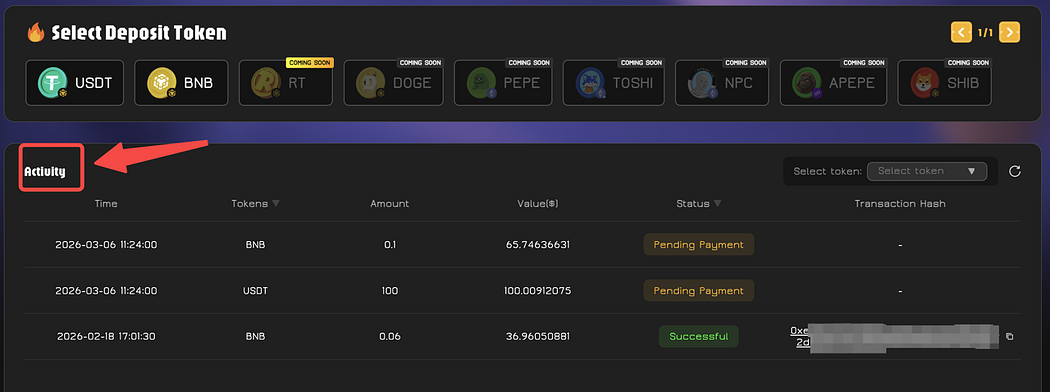
You can check your deposit records and status on the **Activity** page.
### **How to Withdraw**
Click **Withdraw**, then follow these steps:
1. Select the token you want to withdraw
2. Enter the withdrawal amount
3. Enter your receiving wallet address
⚠️ **RealGo DApp uses BNB Chain for withdrawals.** Please make sure the receiving address supports the **BNB Chain** network. Transferring assets through an unsupported network may result in permanent asset loss.
Withdrawal transactions will incur a **gas fee**, which will be charged in **RT Token**.
The system will send a **one-time verification code** to your email.\
Enter the code to complete the withdrawal process.
You can view your withdrawal history on the **Recent Withdraws** page.
### Security Notice
To help protect your assets, please note the following:
1. **Never share your private key, seed phrase, or wallet information with anyone.**\
RealGo official staff will **never** ask for this information under any circumstances.
2. Please make sure you are accessing the official DApp website: [app.realgo.game](https://app.realgo.game/gameCentre/assets)\
Be cautious of phishing websites or fake links.
3. All on-chain transactions are confirmed by the user and executed through the blockchain.\
Once a transaction is completed, it is usually **irreversible** and cannot be modified.
4. Please double-check your withdrawal address carefully.\
If the wrong address is entered, your assets may be permanently lost.
5. RealGo will never ask users via private message to transfer funds or perform asset operations.\
If you encounter such requests, please remain alert.
6. Users are solely responsible for the security of their wallets and devices.\
Please keep your wallet information safe and avoid operating on insecure devices or networks.
### Final Reminder
The RealGo DApp allows players to seamlessly manage digital assets within the RealGo ecosystem. By following the steps above and maintaining proper security practices, you can safely deposit and withdraw assets while exploring everything RealGo has to offer.
Follow us for the latest updates, pro tips, and global events. Meet new friends, form your dream team, and conquer the Meme world together!